
Sale
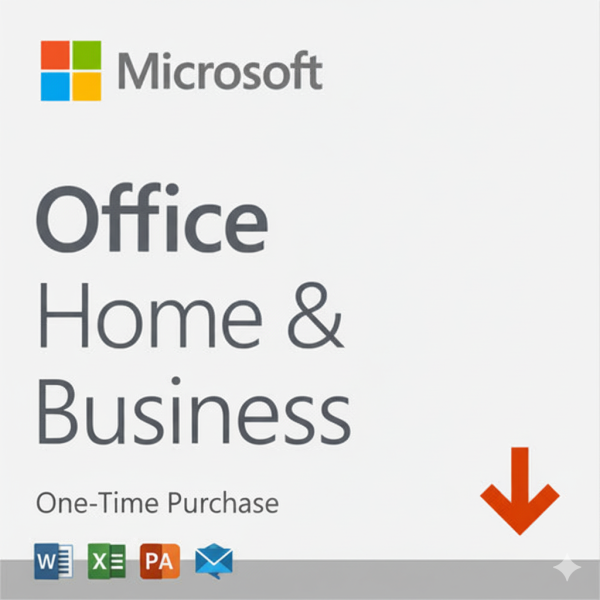
Microsoft Office Home&Business 2024-One-Time Purchase-[License KEY & Download]
Price range: $139.99 through $239.99
- One-time purchase for 1 PC or Mac
- Classic 2024 desktop versions of Word, Excel, PowerPoint, Outlook and OneNote
- Access to support resources
- Compatible with Windows 11, Windows 10, or macOS*
- For non-commercial use
- Works with Microsoft Teams
- Description
- Support
- Reviews (14)
Description
| Feature / Version | Microsoft Office Home 2024 | Office Home & Business 2024 | Office Professional 2024 | Microsoft 365 Personal | Microsoft 365 Family |
|---|---|---|---|---|---|
| License Type | One-time purchase | One-time purchase | One-time purchase | Subscription (Annual/Monthly) | Subscription (Annual/Monthly) |
| Users Supported | 1 User (1 PC/Mac) | 1 User (1 PC/Mac) | 1 User (1 PC) | 1 User (5 simultaneous devices) | Up to 6 Users (5 devices each) |
| Word, Excel, PowerPoint | Classic Apps | Classic Apps | Classic Apps | Latest Apps + Premium Features | Latest Apps + Premium Features |
| Outlook (Email/Calendar) | Classic App | Classic App | Latest App | Latest App | |
| Publisher & Access | (PC Only) | (PC Only) | (PC Only) | ||
| Microsoft Teams (Premium) | ✓ | ✓ | ✓ | ||
| Continuous Feature Updates | (Security only) | (Security only) | (Security only) | Always up-to-date | Always up-to-date |
| Cloud Storage (OneDrive) | Free 5 GB | Free 5 GB | Free 5 GB | 1 TB per person | 1 TB per person (up to 6 TB total) | Get Discount … |
|
|
|
|
|
![Microsoft Office Home 2024-One-Time Purchase-[License KEY & Download]](https://wordpress.bytesaid.eu.org/wp-content/uploads/2025/10/Microsoft-office-Home-2024-300x300.png)


![Microsoft Office Home&Business 2024-One-Time Purchase-[License KEY & Download]](https://wordpress.bytesaid.eu.org/wp-content/uploads/2025/10/Microsoft-office-Home-and-Business-2024-300x300.png)
![Microsoft Office Professional 2024-One-Time Purchase-[License KEY & Download]](https://wordpress.bytesaid.eu.org/wp-content/uploads/2025/10/Microsoft-office-Professional-2024-300x300.png)


Office Home 2024
License TypeOne-time purchase
Users Supported1 User (1 PC/Mac)
Core Apps (W, E, P) Classic Apps
Outlook
Publisher & Access
Feature Updates (Security only)
Cloud StorageFree 5 GB
-
Microsoft Office Home 2024-One-Time Purchase-[License KEY & Download]
Price range: $89.99 through $169.99Select options This product has multiple variants. The options may be chosen on the product pageQuick View
Office Home & Business 2024
License TypeOne-time purchase
Users Supported1 User (1 PC/Mac)
Core Apps (W, E, P) Classic Apps
Outlook Classic App
Publisher & Access
Feature Updates (Security only)
Cloud StorageFree 5 GB
-
Microsoft Office Home&Business 2024-One-Time Purchase-[License KEY & Download]
Price range: $139.99 through $239.99Select options This product has multiple variants. The options may be chosen on the product pageQuick View
Office Professional Plus 2024
License TypeOne-time purchase
Users Supported1 User (1 PC)
Core Apps (W, E, P) Classic Apps
Outlook, Teams, P & A Included
Publisher & Access (PC Only)
Feature Updates (Security only)
Cloud StorageFree 5 GB
-
Microsoft Office Professional 2024-One-Time Purchase-[License KEY & Download]
Price range: $159.99 through $229.99Select options This product has multiple variants. The options may be chosen on the product pageQuick View
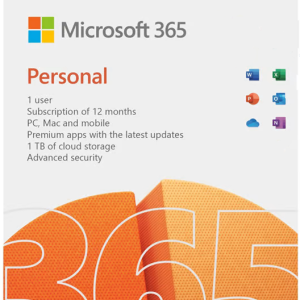
Microsoft 365 Personal
License TypeSubscription
Users Supported1 User (5 devices)
Core Apps (W, E, P) Premium Apps
Outlook Latest App
Publisher & Access (PC Only)
Feature Updates Always up-to-date
Cloud Storage 1 TB per person
-
Microsoft 365 Personal Subscription & Renew Subscription
Price range: $69.99 through $129.99Select options This product has multiple variants. The options may be chosen on the product pageQuick View
Microsoft 365 Family
License TypeSubscription
Users Supported Up to 6 Users
Core Apps (W, E, P) Premium Apps
Outlook Latest App
Publisher & Access (PC Only)
Feature Updates Always up-to-date
Cloud Storage 6 TB Total (1 TB/user)
-
Microsoft 365 Family Subscription & Renew Subscription
Price range: $99.99 through $179.99Select options This product has multiple variants. The options may be chosen on the product pageQuick View
📖 Detailed Product Information
Office 2024 (One-time Purchase)
Office 2024 is designed for customers who prefer a single, upfront purchase for their core Office applications. You get the specific 2024 version of Word, Excel, and PowerPoint for a single PC or Mac, without the need for an annual subscription. It does not include ongoing feature updates or cloud services beyond free OneDrive storage.- Office Home 2024: Includes Word, Excel, PowerPoint. Ideal for students and families.
- Office Home & Business 2024: Includes Word, Excel, PowerPoint, and Outlook. Perfect for small businesses and professionals.
- Office Professional Plus 2024: Includes all core apps plus Publisher, Access, and Microsoft Teams. Geared towards advanced users and businesses (PC only).
Microsoft 365 (Subscription Service)
Microsoft 365 is a continuously updated, intelligent productivity cloud service. It encompasses the latest desktop Office apps, powerful cloud services (like 1 TB OneDrive storage per person), advanced security features, and a stream of innovative functional updates.- Microsoft 365 Personal: For individuals, installable on up to 5 devices (PC, Mac, tablets, phones) simultaneously, with 1 TB of OneDrive cloud storage.
- Microsoft 365 Family: The ultimate family choice! Supports up to 6 users, each with their own install rights and 1 TB OneDrive storage (totaling 6 TB).
🕦 What’s New & Enhanced in Office 2024?
Smarter Document Creation with Word
Word 2024 brings enhanced AI-powered writing suggestions, improved dark mode for comfortable late-night work, and seamless cloud integration for real-time collaboration. Focus on your content while Word handles the polish.- Advanced AI-driven grammar and style suggestions.
- Refined Dark Mode for reduced eye strain.
- Improved commenting and sharing for collaborative workflows.
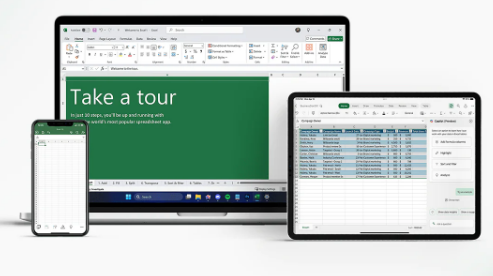
Unleash Data Power with Excel’s Innovations
Excel 2024 supercharges your data analysis with new dynamic array functions (like FILTER, SORT, UNIQUE) and the powerful XLOOKUP, making complex data manipulation simpler and faster than ever. Get insights in moments.- New Dynamic Array functions for advanced calculations.
- XLOOKUP for powerful, flexible searches.
- Enhanced charting and visualization tools.
pls contact us if you have any problem !
pls contact us if you have any problem !
pls contact us if you have any problem !
pls contact us if you have any problem !pls contact us if you have any problem !
14 reviews for Microsoft Office Home&Business 2024-One-Time Purchase-[License KEY & Download]
| 5 star | 85% | |
| 4 star | 14% | |
| 3 star | 0% | |
| 2 star | 0% | |
| 1 star | 0% |
Only logged in customers who have purchased this product may leave a review.

St. Peter’s Reformed Church –
Great software, easy to install.
Jim Cannon –
New outlook is unusable, but classic gets installed as well and you can move the link to classic to your toolbar so you don’t have to wade through the new outlook BS
Tsab –
Once purchase, instance key and software. works great and easy installation
chuck kalish –
It’s Microsoft Office Suite. The download and install process worked fine. I prefer to have the software paid for and installed locally on my desktop. I do not use the Microsoft Office 365, cloud based, subscription model.
MidwestDad –
So…Outlook would not let me connect to my accounts via POP, which meant a whole new email paradigm for me–emails that remain on the cloud for 14 days rather than download to my laptop. It was so frustrating. I couldn’t configure any of my accounts at all–just enter your user id and password and the app pretty much tells you to shut up while it does the rest. (Great if you’re not a techie.) Then I noticed there were 2 Outlooks on my laptop…and this second version was more robust and included support for custom configuring and POP. Problem solved after 2 weeks of pulling my hair out wondering where all my emails were disappearing to. Needless confusion. All the other apps work as
LuisA –
I love Microsoft products! I utilize this software for home and my business. Good to know that I own this and I’ll probably won’t need anything else for a long time.
Richard –
Lost my Win10 PC to the black sheet of death that came with a free office so I had to buy a Dell win11 machine… There was no way to retrieve anything off the old machine and not being into monthly or annual leasing program or storing my personal info on the net I purchased this for my businesses and personal use…
ElDi –
Having used Office for several of its versions throughout the years, I was pleased that the transition from Office Professional 2019 to 2024 was fairly smooth. Also, I use/prefer the ‘classic’ Outlook (with my local PST storage file). That went well (though I had to download ‘classic’ since I do not care nor want to enable OneDrive). Good luck to you all!
Penny –
I am having quite a few problems with Outlook. My accounts are rejecting emails and for some reason. Also, if I do not send an email right away, it closes it and makes a draft of it. I had worked a long time on a reply and thought it had been lost. By luck, I looked in my draft folder. Perhaps there is a setting I can change to avoid this in the future.
Robert –
If you want to get away from the subscription version of office including outlook this works fine. You will not have the cloud storage of automatic back up but if you regularly do backups and do not need or desire the cloud this is the path for you. It is expensive but you are no longer being bombarded by reminders and the renewal costs.
CRHTX –
purchased Microsoft Office Home & Business 2024 for a new laptop. Purchase was easy as the entire package is a download. I received a copy of the product key at the register and they also emailed it to me. The email had a live link to easily download and install, which went smoothly. All in all an easy purchase and download.
JonR –
Great product, super smooth integration, and fast and efficient across the board. I also highly recommend buying a one time price over the yearly renewals, which is for the life of the product (*not the device you use it on), which makes it really a no-brainer. Thank you!
LaneN –
The best software for the computer I purchased. Wanted a one time purchase.
AnaV –
Spectacular! I should’ve bought this instead of my original subscription to my other ms product. I’m going to stick to this one from now on.