
Sale
Microsoft Office Home 2024-One-Time Purchase-[License KEY & Download]
Price range: $89.99 through $169.99
- One-time purchase for 1 PC or Mac
- Classic 2024 desktop versions of Word, Excel, PowerPoint, and OneNote
- Access to support resources
- Compatible with Windows 11, Windows 10, or macOS*
- For non-commercial use
- Works with Microsoft Teams
- Description
- Support
- Reviews (13)
Description
| Feature / Version | Microsoft Office Home 2024 | Office Home & Business 2024 | Office Professional 2024 | Microsoft 365 Personal | Microsoft 365 Family |
|---|---|---|---|---|---|
| License Type | One-time purchase | One-time purchase | One-time purchase | Subscription (Annual/Monthly) | Subscription (Annual/Monthly) |
| Users Supported | 1 User (1 PC/Mac) | 1 User (1 PC/Mac) | 1 User (1 PC) | 1 User (5 simultaneous devices) | Up to 6 Users (5 devices each) |
| Word, Excel, PowerPoint | Classic Apps | Classic Apps | Classic Apps | Latest Apps + Premium Features | Latest Apps + Premium Features |
| Outlook (Email/Calendar) | Classic App | Classic App | Latest App | Latest App | |
| Publisher & Access | (PC Only) | (PC Only) | (PC Only) | ||
| Microsoft Teams (Premium) | ✓ | ✓ | ✓ | ||
| Continuous Feature Updates | (Security only) | (Security only) | (Security only) | Always up-to-date | Always up-to-date |
| Cloud Storage (OneDrive) | Free 5 GB | Free 5 GB | Free 5 GB | 1 TB per person | 1 TB per person (up to 6 TB total) | Get Discount … |
|
|
|
|
|
![Microsoft Office Home 2024-One-Time Purchase-[License KEY & Download]](https://wordpress.bytesaid.eu.org/wp-content/uploads/2025/10/Microsoft-office-Home-2024-300x300.png)


![Microsoft Office Home&Business 2024-One-Time Purchase-[License KEY & Download]](https://wordpress.bytesaid.eu.org/wp-content/uploads/2025/10/Microsoft-office-Home-and-Business-2024-300x300.png)
![Microsoft Office Professional 2024-One-Time Purchase-[License KEY & Download]](https://wordpress.bytesaid.eu.org/wp-content/uploads/2025/10/Microsoft-office-Professional-2024-300x300.png)


Office Home 2024
License TypeOne-time purchase
Users Supported1 User (1 PC/Mac)
Core Apps (W, E, P) Classic Apps
Outlook
Publisher & Access
Feature Updates (Security only)
Cloud StorageFree 5 GB
-
Microsoft Office Home 2024-One-Time Purchase-[License KEY & Download]
Price range: $89.99 through $169.99Select options This product has multiple variants. The options may be chosen on the product pageQuick View
Office Home & Business 2024
License TypeOne-time purchase
Users Supported1 User (1 PC/Mac)
Core Apps (W, E, P) Classic Apps
Outlook Classic App
Publisher & Access
Feature Updates (Security only)
Cloud StorageFree 5 GB
-
Microsoft Office Home&Business 2024-One-Time Purchase-[License KEY & Download]
Price range: $139.99 through $239.99Select options This product has multiple variants. The options may be chosen on the product pageQuick View
Office Professional Plus 2024
License TypeOne-time purchase
Users Supported1 User (1 PC)
Core Apps (W, E, P) Classic Apps
Outlook, Teams, P & A Included
Publisher & Access (PC Only)
Feature Updates (Security only)
Cloud StorageFree 5 GB
-
Microsoft Office Professional 2024-One-Time Purchase-[License KEY & Download]
Price range: $159.99 through $229.99Select options This product has multiple variants. The options may be chosen on the product pageQuick View
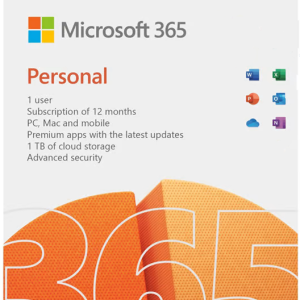
Microsoft 365 Personal
License TypeSubscription
Users Supported1 User (5 devices)
Core Apps (W, E, P) Premium Apps
Outlook Latest App
Publisher & Access (PC Only)
Feature Updates Always up-to-date
Cloud Storage 1 TB per person
-
Microsoft 365 Personal Subscription & Renew Subscription
Price range: $69.99 through $129.99Select options This product has multiple variants. The options may be chosen on the product pageQuick View
Microsoft 365 Family
License TypeSubscription
Users Supported Up to 6 Users
Core Apps (W, E, P) Premium Apps
Outlook Latest App
Publisher & Access (PC Only)
Feature Updates Always up-to-date
Cloud Storage 6 TB Total (1 TB/user)
-
Microsoft 365 Family Subscription & Renew Subscription
Price range: $99.99 through $179.99Select options This product has multiple variants. The options may be chosen on the product pageQuick View
📖 Detailed Product Information
Office 2024 (One-time Purchase)
Office 2024 is designed for customers who prefer a single, upfront purchase for their core Office applications. You get the specific 2024 version of Word, Excel, and PowerPoint for a single PC or Mac, without the need for an annual subscription. It does not include ongoing feature updates or cloud services beyond free OneDrive storage.- Office Home 2024: Includes Word, Excel, PowerPoint. Ideal for students and families.
- Office Home & Business 2024: Includes Word, Excel, PowerPoint, and Outlook. Perfect for small businesses and professionals.
- Office Professional Plus 2024: Includes all core apps plus Publisher, Access, and Microsoft Teams. Geared towards advanced users and businesses (PC only).
Microsoft 365 (Subscription Service)
Microsoft 365 is a continuously updated, intelligent productivity cloud service. It encompasses the latest desktop Office apps, powerful cloud services (like 1 TB OneDrive storage per person), advanced security features, and a stream of innovative functional updates.- Microsoft 365 Personal: For individuals, installable on up to 5 devices (PC, Mac, tablets, phones) simultaneously, with 1 TB of OneDrive cloud storage.
- Microsoft 365 Family: The ultimate family choice! Supports up to 6 users, each with their own install rights and 1 TB OneDrive storage (totaling 6 TB).
🕦 What’s New & Enhanced in Office 2024?
Smarter Document Creation with Word
Word 2024 brings enhanced AI-powered writing suggestions, improved dark mode for comfortable late-night work, and seamless cloud integration for real-time collaboration. Focus on your content while Word handles the polish.- Advanced AI-driven grammar and style suggestions.
- Refined Dark Mode for reduced eye strain.
- Improved commenting and sharing for collaborative workflows.
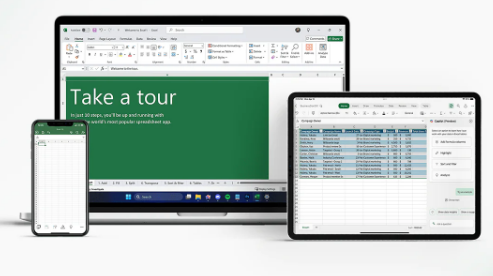
Unleash Data Power with Excel’s Innovations
Excel 2024 supercharges your data analysis with new dynamic array functions (like FILTER, SORT, UNIQUE) and the powerful XLOOKUP, making complex data manipulation simpler and faster than ever. Get insights in moments.- New Dynamic Array functions for advanced calculations.
- XLOOKUP for powerful, flexible searches.
- Enhanced charting and visualization tools.
pls contact us if you have any problem !
pls contact us if you have any problem !
pls contact us if you have any problem !
pls contact us if you have any problem !pls contact us if you have any problem !
13 reviews for Microsoft Office Home 2024-One-Time Purchase-[License KEY & Download]
| 5 star | 46% | |
| 4 star | 38% | |
| 3 star | 15% | |
| 2 star | 0% | |
| 1 star | 0% |
Only logged in customers who have purchased this product may leave a review.

joanna poster (store manager) –
Was easy to install with thee instructions and I loved that I got an email stating that if I had any problems to just let them know.
kitkatcjb –
We followed the steps and was installed easilyon my Dell laptop with Windows 10. It was a little confusing when “one note” popped up, but I just x’d out, went over to my start button which lists everything on my computer, scrolled down & clicked Word & there it was. Very satisfied with this purchase! I did NOT want a yearly subscription & really only wanted Word, but all worked out!
LK –
Easy download and install on my new computer with Win 11 Pro. Use this for home stuff, am satisfied.
Tony –
Take this if you will.
1. Make sure you have a Microsoft email account.
2. Consider doing this download at a reasonable time so if things go wrong, you have time to contact people if you need to.
3. Take it slow. There is no stopwatch, so you have no need to rush through things.
Anna Pastore –
I installed the apps on my Mac but my license was not recognized due to an old license on my PC. Ran the license uninstall as recommended but that still did not fix the problem. After online chat with support for an hour my license was recognized after uninstalling again and deleting items in subfolders (ouch!). The support person was very helpful and patient. This was a very frustrating process.
Lenise Scott –
Everyting went smoothly and I am quite happy with the transaction I am just having issue with adjusting from Microsoft Office 2010 to the latest version is all. That is the only reason I didn’t give it five stars. Purchase in good faith with the utmost confidence in the product however and enjoy your upgrade to the best of your ability.
Mark –
Good way to go if you don’t want to pay yearly fees forever and don’t need everything provided by the professional version of office.
RICKVOO –
I bought a new laptop and needed MS Office right away as I love using it. Hated having to pay full retail price but I was afraid of the sketchy on-line sites purporting to offer MS Office at ridiculously low prices. Now I know what I have and I’ll use it for years.
Randal Todd –
One star off because auto-saving files needs MS One Drive activated and I don’t use One Drive.
So you have to manually save your changes as you go.
This cost $150 and I upgraded from MS Office 2021.
Online Microsoft 365 Personal cost $100 per year.
So I am saving $300 to $400 by doing it this way, when compared to paying for Microsoft 365 Personal every year.
Cksmith –
Randal Todd
MER –
It’s MicroSoft: I prefer to have my own license and the short list of desktop products, the price is average and much better than paying 100’s$ per year!!!!!!
There are new ways of proceeding that are similar to 365, a bit of study is warranted. IT IS MS!!! And this will last for years as my 2013 purchase, yet MS took my license and did not allow me to utilize any further.
A. D. Turner –
Not bad so far. I am able to open old docx and xls files from an old computer once I finally installed the same font. You need to be logged in to your Microsoft account or create one and log in to download the exe file to install the software. The download stated that Office 365 was being installed but it was actually Office 2024 being installed. That worried me for a bit because I did not want Office 365. The layout and interface is different than what I am used to but is slowly beginning to make more sense.
Bobby Ruiz –
Microsoft Office Home 2024 works very well and includes all the classic programs I need like Word, Excel, and PowerPoint. Installation was easy, and everything runs smoothly. However, I gave it 3 stars because it’s a bit pricey and can only be installed on one device. It would be more convenient if it allowed use on multiple devices, especially at this price point. Still, it’s a solid and reliable product for home use.